SOFTWARE / AGED CARE / COFOUNDER
Embrayse
Aged-care catering software.
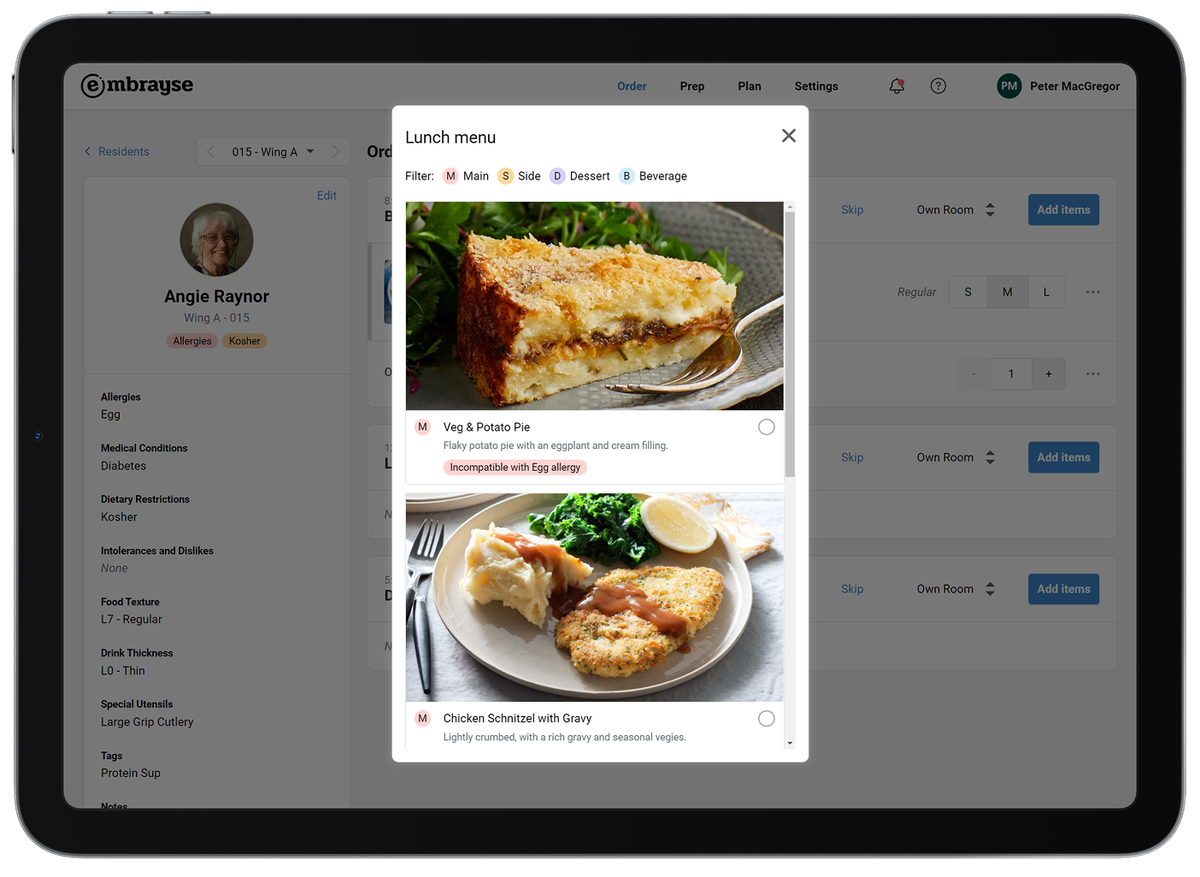
Every meal starts with a person
Co-founder & Head of Product · 2022–present
A meal in aged care carries a person’s preferences, dietary needs and everyday routines. Those details need to stay with the order as it moves from the floor to the kitchen.
I’ve helped take Embrayse from an idea to a live product serving aged-care providers across Australia and the UK.
I own product direction and the end-to-end experience, from research and UX/UI design to the design system, user validation and customer success workshops. I continue to lead product development and contribute to front-end implementation.
I also lead the brand and marketing work: the homepage, sales funnels, marketing and promotional materials, and conference booth designs.
Make choice visual
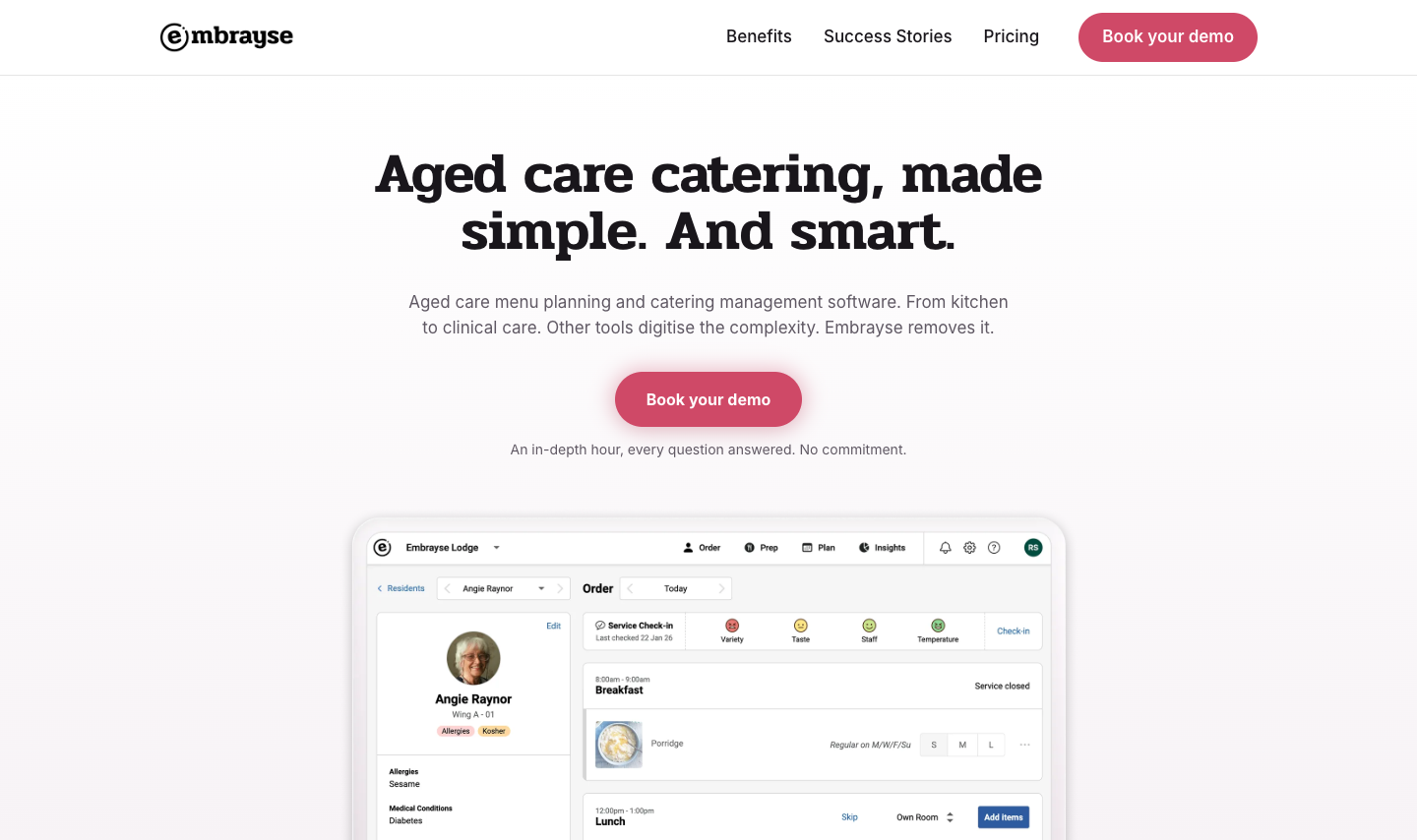
Meal photography gives residents and staff something concrete to talk about. The food leads; portion sizes, comments and a clear selected state sit alongside the choice.
I explored how much space to give the image and what should change when a meal is selected. In the selected card, portion sizes and comments become available while the other choices stay compact. The card supports the conversation, then carries its details into the order.
Put the details beside the decision
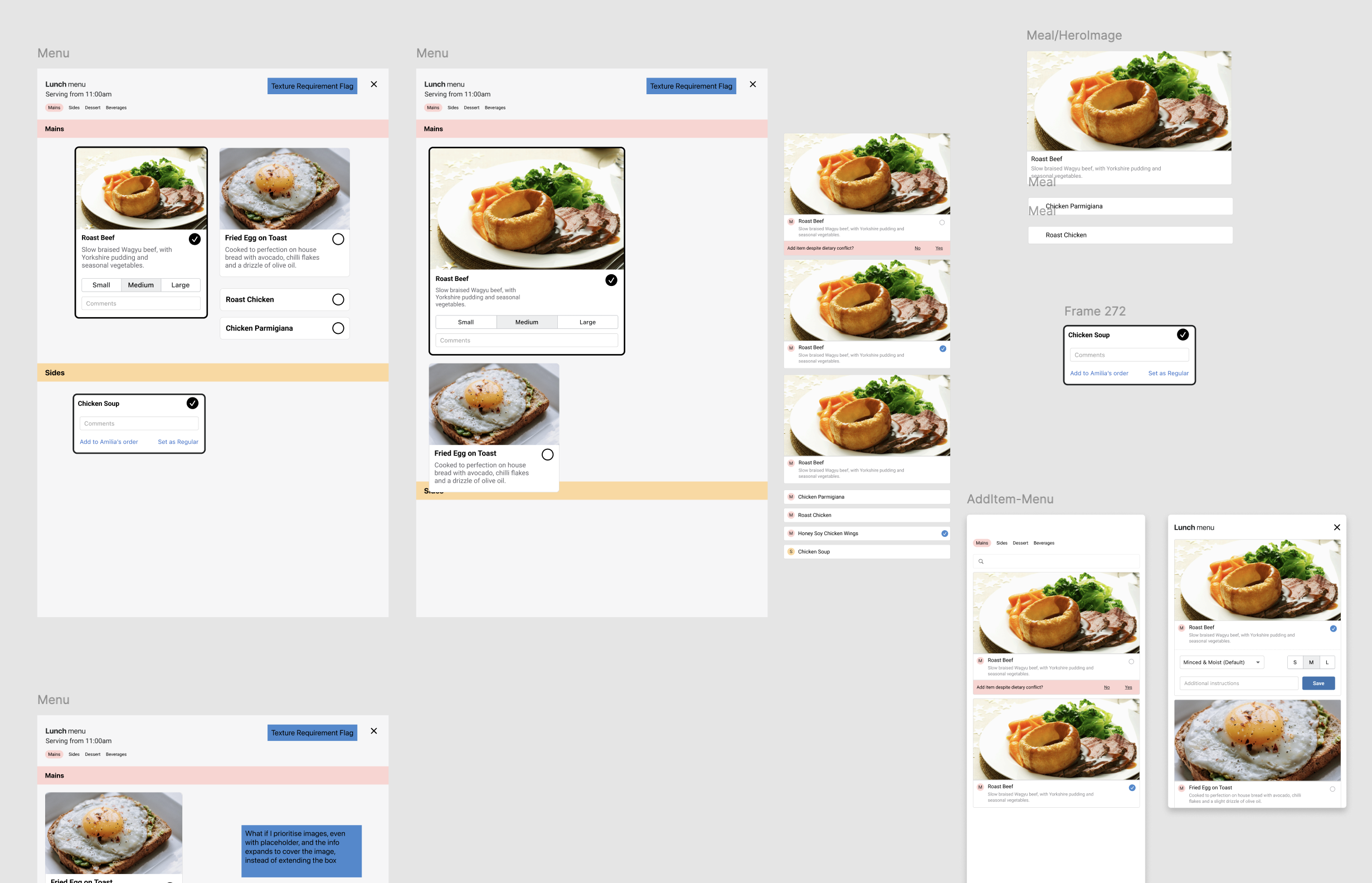
The ordering view keeps the resident’s dietary profile beside their meals. Preferences, allergies and texture requirements are available while an order is being taken, with warnings before confirmation.
That proximity matters. Information is most useful when it is visible at the moment someone needs to act on it.
Connect planning with preparation
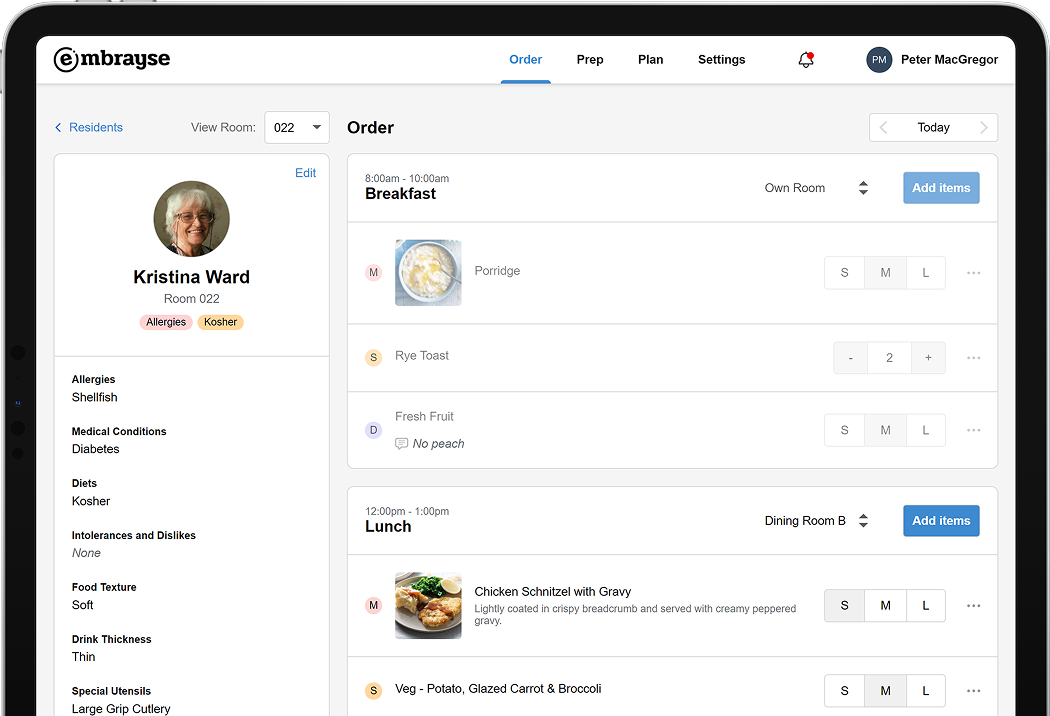
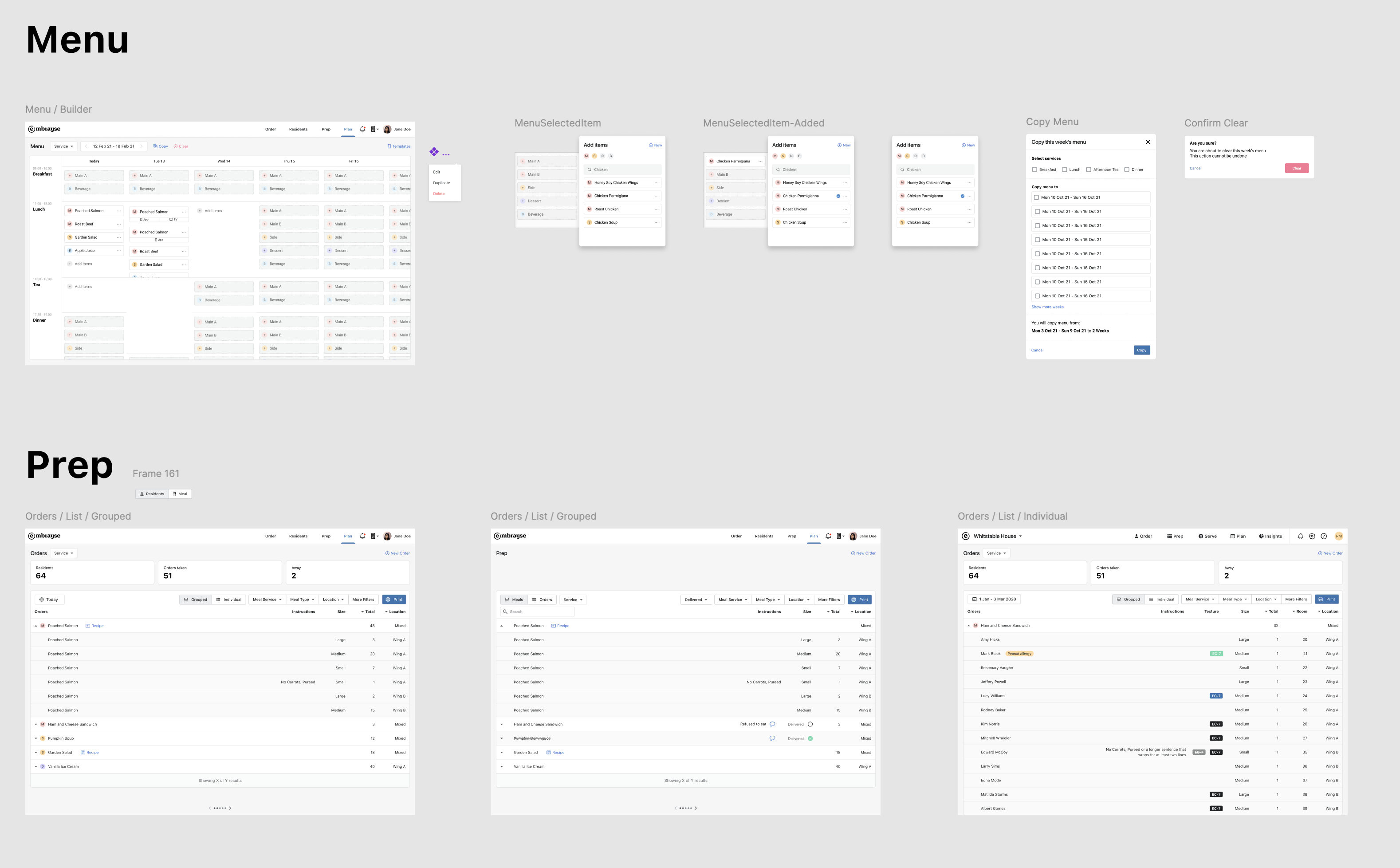
Planning starts with a view of the week: meal services, days and the items offered at each sitting. The menu builder brings those relationships into a grid, with tools for adding items and reusing a menu.
The supporting actions need just as much attention. The copy-menu study makes the services and destination weeks explicit. Clearing a menu has its own confirmation. These smaller states help staff understand the scope of a change before making it.
Give each team the right view
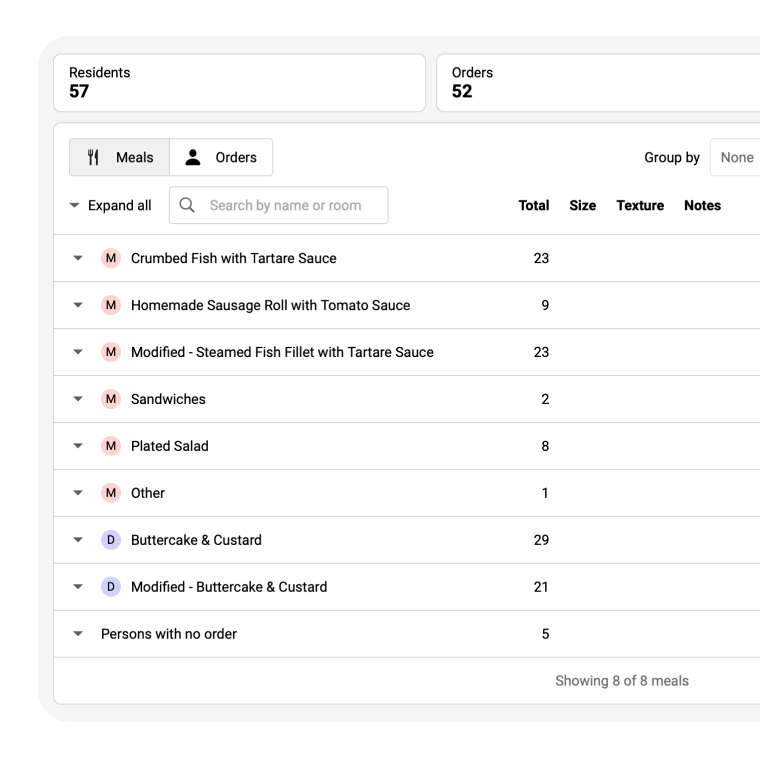
The chef needs a count of each dish. The person taking meals to rooms needs names, locations and individual instructions. Grouped meal summaries and resident-level orders organise the same information around those different tasks.
Portions, textures and special requests stay with the order as the view changes. That continuity connects preparation with the person who will receive the meal.
Bring feedback into the next meal
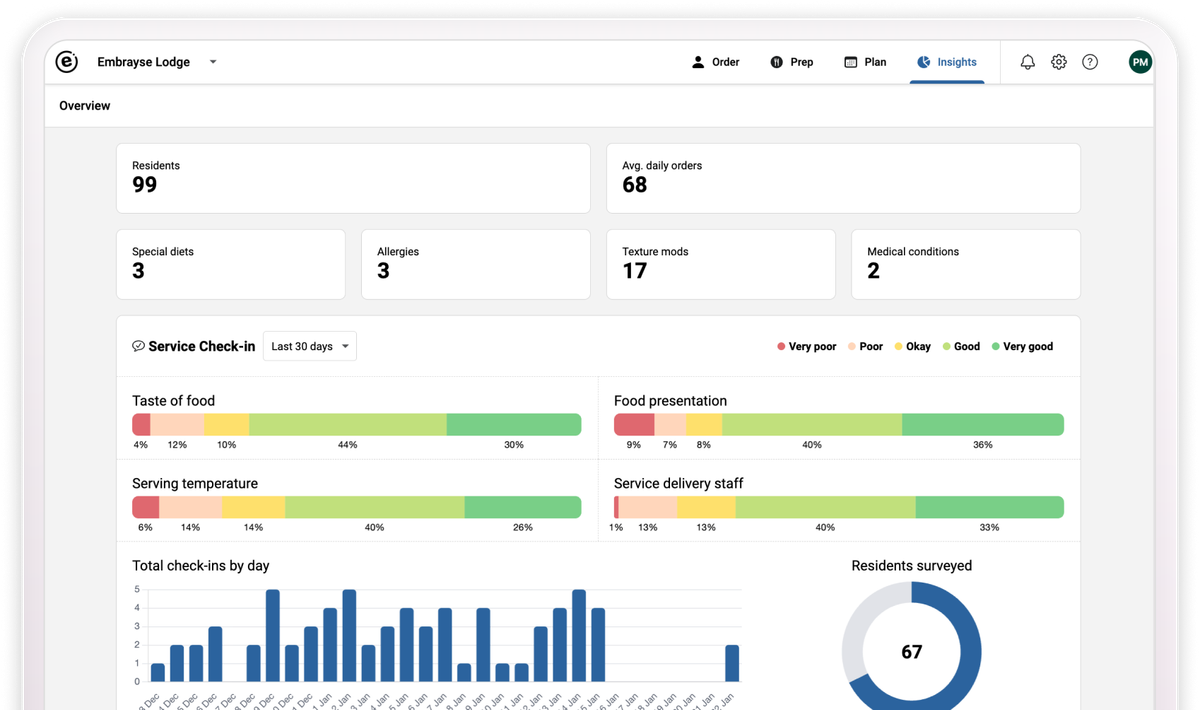
A completed order is only part of the picture. Service check-ins capture residents’ views on the meal and its delivery. Insights bring those responses together so teams can see patterns over time.
Closing that loop gives the experience of eating the meal a place in the next conversation about the service.
User validation and customer success workshops connect this design work with the teams using it. One ancillary supervisor described the practical result:
Even staff with limited computer skills quickly learnt their way around.